As an Amazon Associate, we earn from qualifying purchases. Some links on this site are affiliate links at no extra cost to you. Our recommendations are based on thorough research and editorial judgment.


Troubleshooting Common Digital Scale Errors and Glitches

Have you ever stepped on your digital scale only to be met with an error message instead of a number? It can be super frustrating.
You may be interested


Before you start to panic, the first thing to check is the power supply and the placement of the scale. Make sure it’s on a flat surface, and that there’s no dust or debris underneath.
If you see codes like “Err” or “UnSt,” it’s definitely time to troubleshoot. A common issue can be improper calibration, so what can you do? Make it a habit to calibrate your scale using certified weights at least once a year. This simple step can go a long way in ensuring accurate readings.
Another thing to consider is the environment where your scale resides. Keeping it away from extreme temperatures and high humidity levels is crucial—those factors can affect its accuracy.
So, why does this matter? Because consistent, reliable measurements not only help you track your health goals but also give you peace of mind about the data you’re relying on.
Maintaining your digital scale doesn’t have to feel overwhelming. Just take it step by step, and you’ll keep it running smoothly.
So, what little tweaks can you make today to avoid those annoying error codes tomorrow?
Key Takeaways
- Check the power supply and cords to ensure the scale is receiving adequate power for accurate readings.
- Inspect for cleanliness; debris on the scale can interfere with proper functionality and measurements.
- Confirm the scale is calibrated according to the manufacturer’s guidelines to ensure accuracy in readings.
- Place the scale on a stable, flat surface to avoid errors related to an unstable or uneven base.
- Monitor and log any recurring error codes to assist in identifying and troubleshooting specific issues effectively.
Understanding Digital Scale Errors and Their Consequences

When you’re dealing with digital scales, it can be a real headache when you run into errors. Ever weighed something and thought, “Wait, that can’t be right?” Those inaccuracies can lead to some serious issues, especially if you’re relying on those readings for important measurements.
One of the main problems to watch out for is calibration. If your scale isn’t calibrated correctly, you might get readings that are way off. That’s frustrating, right? Another common issue is using your scale on an unstable or uneven surface. Even the slightest tilt can throw off the measurements significantly.
Environmental factors also play a role. Did you know that temperature and humidity can mess with your scale’s accuracy? This can be particularly true if you’re weighing things in a garage or a kitchen where the temperature fluctuates.
So, what can you do to prevent these problems? Here are a couple of tips:
- Check your scale regularly for calibration.
- Always place your scale on a flat, stable surface.
- Keep an eye on the environment and try to use the scale where conditions are consistent.
Additionally, make sure to use the tare function to zero out container weights for precise measurements.
By keeping these pointers in mind, you can help ensure that your scale gives you accurate readings every time you use it.
Have you ever noticed discrepancies with your scale? Remember, keeping your scale in check isn’t just a good practice—it can save you a lot of hassle down the road!
What to Check First When Your Scale Isn’t Working?
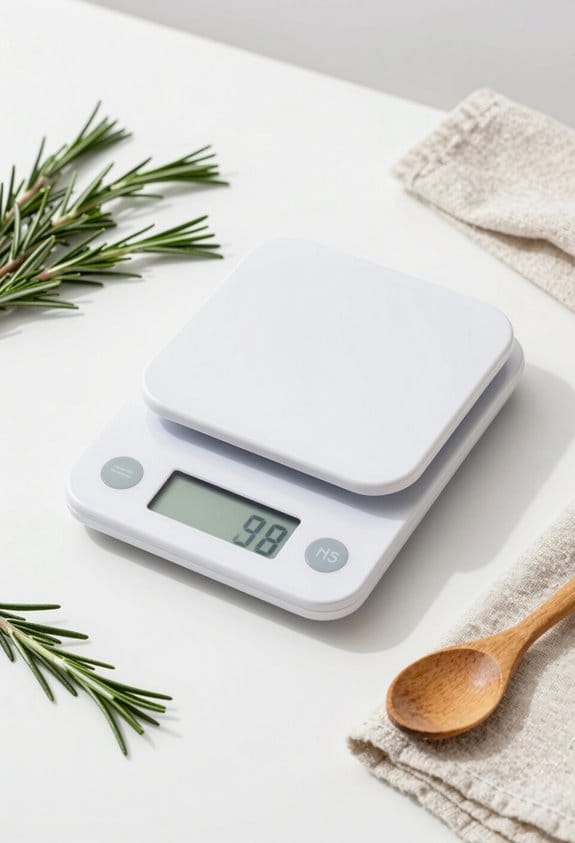
Have you ever stepped on your scale, only to be met with frustration when it doesn’t work? It’s annoying, especially after you’ve made sure the setup was right. Let’s tackle this together and get to the bottom of it.
First things first, check the power supply. Make sure the scale is plugged into an outlet that’s actually working. Don’t forget to look for any worn-out or damaged cords; they can be a sneaky source of the problem.
Next, take a close look at the scale itself. Debris can easily mess with your readings, so give it a good clean. Even a small crumb or a bit of dust can throw things off. Also, remember to check that it’s calibrated properly according to the manufacturer’s guidelines. A stable, flat surface is key too—if your scale is on an uneven floor, it won’t give you accurate numbers.
If your scale runs on batteries, this might be the culprit. Make sure they’re correctly inserted and still have plenty of juice.
Additionally, consider checking the tare function, as improper use can sometimes cause error messages.
And hey, if after all of this it’s still acting up, don’t sweat it! Reach out to the technical support line; they can help you figure things out.
Decoding Common Digital Scale Error Codes: Solutions and Explanations

Ever found yourself staring at your digital scale, puzzled by an error code flashing on the screen? It’s frustrating, right? Take for instance the dreaded “Err” signal – that’s a clear sign that something’s not working properly and it’s time to give the scale a little TLC. This kind of issue is usually covered in the manufacturer’s instructions, so don’t overlook those notes.
Then there’s the “O-Ld” message. This one’s serious! It’s a warning that you’re putting too much weight on your scale. Ignore it, and you risk damaging your scale beyond repair.
Now, if you come across “UnSt,” it means your scale is on an uneven surface. Here’s the trick: make sure it’s sitting on a flat, sturdy area to get accurate readings. No one wants a wonky weight measurement!
If you keep running into these error codes, a good move is checking out the manufacturer’s website. They often have troubleshooting tips or updates. Also, consider keeping a little log of the repeat offenders — don’t be surprised if you notice a trend. Maybe it’s time for a calibration, or perhaps your power supply is on its last legs. Remember, regular calibration and maintenance are crucial for ensuring your scale’s accuracy and longevity.
How to Fix Inaccurate and Inconsistent Readings
Have you ever stepped on your digital scale and wondered why the numbers seem all over the place? You’re not alone! Inaccurate and inconsistent readings can be super frustrating, but there are some straightforward fixes you can try to get your scale back on track.
First off, let’s talk about placement. Is your scale sitting on a flat, sturdy surface? If it’s wobbling or on uneven ground, that can mess with your readings. Pick a spot where it won’t move around, like a tile or hardwood floor, rather than on carpet or a rug.
Next, give your scale a little TLC. Dust and debris around the load cell and weighing pan can cause hiccups, so make sure everything’s clean. You might think it’s not a big deal, but even a tiny crumb can throw things off.
Now, here’s another important tip: always calibrate your scale following the manufacturer’s instructions, especially if you’ve just moved it. Calibration ensures it’s measuring accurately. And don’t overlook the environment; things like humidity and temperature can definitely impact performance.
Additionally, be mindful of your scale’s weight capacity to avoid overload, which can cause errors or damage.
If you’ve tried all this and your scale still isn’t cooperating, it might be time to call in a pro. A technician can do a full check-up and calibration, which should help you get those consistent readings you really need.
In the end, keeping your scale working well comes down to these basic steps. It’s easier than you think! What issues have you faced with your scale?
Why Regular Calibration Is Essential for Accurate Scale Performance
Ever thought your scale might be off? It’s something many of us overlook, but regular calibration is a must if you want accurate readings and to avoid pesky scale errors. To keep everything running smoothly, it’s a good idea to calibrate your scale at least once a year. If you move it around a lot or it’s been subject to changes in the environment, you might want to do it even more often.
So why does this matter? Over time, scales can develop systematic errors due to wear and tear. Keeping them calibrated not only boosts reliability but also ensures you’re getting precise measurements. Using certified weights along with the manufacturer’s guidelines is key to staying compliant with industry standards.
If calibration slips your mind, you could be in for some pretty big discrepancies. Think financial losses or even safety issues down the line. To avoid that mess, keep a meticulous log of your calibration dates and procedures. This way, you can spot any trends that might indicate it’s time for professional maintenance.
In a nutshell, don’t overlook calibration—it’s essential for the accuracy of your scale! Have you checked yours recently? Regular calibration also helps maintain the tare function accuracy, which is crucial for precise ingredient measurement.
Best Practices to Prevent Future Scale Issues
Have you ever stepped on your scale, only to wonder why the number seems off? It’s frustrating, right? Luckily, there are simple things you can do to keep your scale functioning properly and make those reading issues a thing of the past.
Start by regularly checking the batteries in your digital scale. Low battery power can lead to weird or inaccurate readings. Honestly, that’s a quick fix! Just swap them out when you notice the first signs of weakness.
Another tip? Give your scale a good wipe-down every now and then. Dust and dirt can mess with the load cell, causing miscalculations. Plus, make sure you’re placing it on a flat and stable surface. Have you ever stepped on a scale that wobbled? That’s just asking for inconsistency, especially if someone else walks by and causes vibrations.
Now, let’s talk about calibration. It’s a good idea to stick to the manufacturer’s calibration schedule—usually about once a year. It’s a simple way to ensure your scale stays accurate. And don’t forget about the environment; try to keep your scale safe from humidity and big temperature swings. Frankly, those quick steps can keep your scale in good shape and spare you from unruly readings down the line! For added longevity, consider choosing a model with waterproof rating to protect against moisture damage during cleaning.
Frequently Asked Questions
Why Does My Scale Keep Glitching?
Our scale keeps glitching due to scale calibration issues, battery power fluctuations, or surface stability problems. Let’s check humidity effects, dust accumulation impacts, and possible sensor malfunctions while ensuring proper maintenance practices and a user error assessment.
How to Fix Digital Scale Error?
To fix digital scale errors, we’ll guarantee surface stability, check battery replacement, and use calibration techniques. Addressing sensor issues helps maintain weight consistency, so let’s tackle those error messages together for better scale accuracy!
What Are the Common Sources of Error in Weighing Scale Calibration and What Methods Can Be Used to Minimize Them?
Common sources of error in weighing scale calibration include temperature effects, power supply issues, and user error. By practicing scale maintenance, ensuring surface stability, and using effective calibration techniques, we can enhance sensor accuracy and weight consistency.
What Is the Lifespan of a Digital Bathroom Scale?
Did you know digital bathroom scales can last 5 to 10 years? We’ve found proper scale maintenance tips, like regular calibration and cleaning, along with considering durability factors, enhance lifespan for accurate readings and reliable performance.


