As an Amazon Associate, we earn from qualifying purchases. Some links on this site are affiliate links at no extra cost to you. Our recommendations are based on thorough research and editorial judgment.


Decoding the Buttons: What Do All Those Instant Pot Modes Actually Do?

Are you feeling a little overwhelmed by all those buttons on your Instant Pot? You’re not alone! It can be tricky to figure out which mode to use for what. Let’s break it down together.
You may be interested

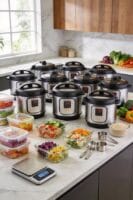

First off, if you’re cooking something tough like meats or grains, the Pressure Cook button is your best friend. It’s super quick and helps those types of foods become tender without hours of slow cooking.
Now, if you want to build some flavor right from the start, the Sauté function is great for browning ingredients. It even has three heat levels, so you can really control how much flavor you want to bring out.
When it comes to making soups, you’ll want to hit the Soup button. It cooks at a nice hot temperature—about 230°F.
Meanwhile, if you’re prepping meat or a hearty stew, the Meat/Stew button’s timed options help you achieve the perfect texture without any guesswork.
Let’s not forget breakfast! The Porridge option makes things easy if you’re in the mood for something warm and comforting in the morning.
And if you need to steam veggies or other foods, that option is there too. It’s nice to have those kinds of choices, right?
So, why does this matter? Knowing how to use these functions effectively can really save you time and effort in the kitchen.
Next time you fire up that Instant Pot, remember these tips to make your cooking experience smoother and more enjoyable.
In a nutshell, the key modes on your Instant Pot each serve a unique purpose, and understanding them can elevate your cooking game. What’s your favorite Instant Pot recipe so far?
Key Takeaways
- The Instant Pot features 18 buttons that allow for cooking functions like pressure cooking, sautéing, and slow cooking, each optimizing specific recipes.
- The PRESSURE COOK button enables quick cooking with settings up to 240 minutes and low/high pressure options for various foods.
- Sauté mode enhances flavors with three heat levels, while the Slow Cook button offers low, medium, and high settings similar to traditional slow cookers.
- Specialized modes like Soup, Meat/Stew, and Chili optimize cooking times and textures for those specific dishes, facilitating easy meal preparation.
- The Rice and Multigrain buttons are tailored for perfectly cooking white and brown rice, ensuring the right water ratio and soaking time for excellent results.
Getting Started With Your Instant Pot: Essential Features

Have you ever felt overwhelmed by all the features on your Instant Pot? You’re not alone! It can be tricky to know where to start, but once you grasp the essential functions, it becomes a breeze to whip up delicious meals.
The front panel is equipped with 18 buttons, each one providing a unique cooking function, like pressure cooking or slow cooking. When you dive into pressure cooking, you can set the time for up to 240 minutes and choose between low and high pressure based on the recipe. For those moments when you need a quick sear or simmer, the sauté function has different heat settings labeled Less, Normal, and More. And if you ever find yourself fumbling with the cooking time, the +/- buttons make it super easy to adjust.
What about the specialized modes? You’ll find buttons for Soup, Meat/Stew, and Poultry that automatically optimize pressure levels for those specific dishes. So, why does this matter? Understanding these features not only simplifies the cooking process but also helps you make the most out of your Instant Pot.
All in all, getting a handle on these key functions will make cooking with your Instant Pot an enjoyable experience. Ready to conquer dinner? Many models also come with multiple cooking functions that enhance versatility and streamline meal preparation.
Manual vs. Pressure Cooking: When to Use Each
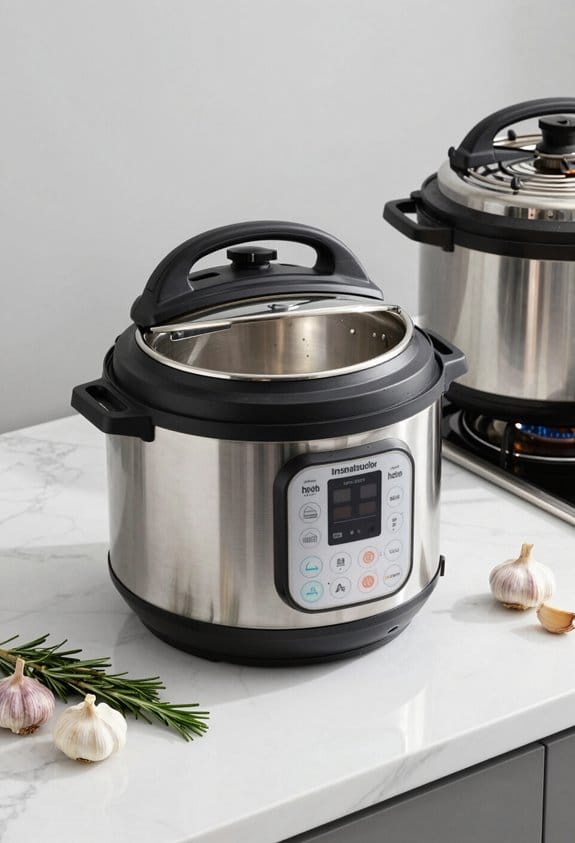
When you’re in the kitchen, do you ever feel overwhelmed by the choice between Manual and Pressure Cooking? It’s a common struggle, but once you get the hang of it, you can really speed up your meal prep.
The Manual mode is great when you want to set a specific cooking time. It gives you flexibility, allowing you to choose between low and high pressure depending on what you’re making. If you’re short on time, hitting that PRESSURE COOK button is a lifesaver; it cooks food quickly, which is perfect for busy weeknights. Consider using Manual mode for things like grains, beans, and tougher cuts of meat that usually take a while to cook.
So, what about classic slow cooking? Don’t worry, you can still use Manual mode for that, adjusting the cooking times to suit your needs.
Honestly, understanding when to switch between these two modes can save you a lot of headaches and time. And isn’t that what we all want in our kitchens? Many Instant Pot models come with multiple safety mechanisms to ensure secure and worry-free cooking, no matter which mode you choose.
Sautéing vs. Slow Cooking: Versatile Applications

Sautéing can truly spice up your cooking routine, especially when you want to build rich flavors fast. If you have an Instant Pot, the Sauté mode becomes your best friend. It lets you brown your ingredients at three heat levels: Less, Normal, and More. This quick step can really enhance the dish before you transition to pressure cooking.
Now, let’s chat about slow cooking. The Slow Cook button on your Instant Pot works just like a traditional slow cooker. You can choose low, medium, or high settings, and keeping the lid closed ensures everything cooks evenly. While sautéing is all about speed, slow cooking takes its time to meld those flavors beautifully over several hours. Try this: sauté some vegetables first, then combine them with meat in the slow cooker for a comforting stew. It’s a simple way to create a hearty meal without much effort.
So, why does this matter? You can mix and match these methods based on your recipes. If you’re in a hurry, go for sautéing, but if you have time to let things simmer, slow cooking is the way to go. The best part is, you can adjust everything to fit whatever dish you’re whipping up. Many slow cookers also come with features like high, low, and warm cooking settings to give you greater control over your meal preparation.
Discovering Rice and Grain Programs for Perfect Cooking
Have you ever ended up with rice that’s more of a sticky clump than fluffy grains? We’ve all been there, and it can be a real bummer when you’re trying to impress at dinner. Let’s dive into how the right settings on your rice cooker can turn that around.
First off, if you’re after the perfect white rice, you’ll want to hit the Rice button. It cooks up beautifully in about 4 to 8 minutes. Here’s the trick: for a fluffy texture, stick to a water-to-rice ratio of 1.5:1 and select either the Normal or More setting. This way, you won’t end up with a gummy mess — because who has time for that?
Now, if brown rice is more your speed, switch to the Multigrain button. Just a heads up, it includes a 50-minute soaking period, which might seem long, but it’s worth it for that nutty flavor and chewy texture. So, why does this matter? Because it allows the grains to cook evenly and come out perfectly.
For anyone wanting to get creative in the kitchen, try using the Porridge button for a warm, creamy dish. This setting lets you experiment with various grains, and it’s adjustable so that you can find just the right consistency. The best part is, cooking with grains doesn’t have to be complicated.
To recap: whether you’re whipping up simple white rice or hearty brown rice, the right settings on your rice cooker can make all the difference. Ready to elevate your grain game tonight? Many Instant Pot Pro models come with customizable smart programs that let you tailor grain cooking to your tastes perfectly.
Mastering Soups, Stews, and Chili: Choosing the Right Button
When you’re craving a warm bowl of soup, a filling stew, or a spicy chili, knowing which button to press on your Instant Pot can make a huge difference. So, what’s the best way to approach it?
For a simple soup without meat, the Soup/Broth button is your go-to. It cooks at 230°F, which is perfect for bringing out those cozy flavors in about 20 to 50 minutes, depending on how rich you want it. If stews are what you’re after, the Meat/Stew button lets you choose cooking times—20, 35, or 45 minutes—to get that ideal texture. Whether you want it tender or practically falling apart, you’ve got options.
And for chili lovers, hitting that Chili button gives you a fantastic dish in a mere 25 minutes. The best part? You have the freedom to customize the cooking times with the Plus and Minus buttons. Want a thicker chili or more tender meat? Just adjust it according to your taste!
So, why does this matter? Getting the texture and flavor just right can really elevate your meal. Every dish can have that homemade quality, and it feels great to satisfy your cravings without too much effort. Using the right portion control can also make meal prep and serving more efficient and satisfying.
Instant Pot Poultry: Cooking Birds to Juicy Success
Have you ever struggled with dry chicken or overcooked turkey? Cooking poultry in an Instant Pot can really simplify your life. The poultry button is a handy feature that cooks your birds at high pressure for about 15 minutes. But if you’re after that extra tenderness, you can tweak the time using the Plus and Minus buttons. Want it a bit softer? Hit More for 30 minutes. Prefer it a little less cooked? Go for Less at just 5 minutes.
This flexibility means you can easily whip up a whole chicken or just some smaller cuts. The best part is that the Instant Pot’s way of cooking keeps everything juicy and packed with flavor. But here’s the trick: after cooking, let the meat rest for a bit. This helps the juices redistribute, making every bite super tender. For optimal cooking, keeping maintenance and care in mind ensures your tools and appliances perform their best every time.
Porridge and Steam: Cooking Breakfast and More
Got a busy morning ahead and need a hearty breakfast? Let’s dive into how to use the Porridge and Steam functions on your Instant Pot for a meal that’s not just filling, but also super versatile.
For creamy porridge, just hit that Porridge button. It usually cooks at High Pressure for 20 minutes, but if you’re in the mood for a lighter oatmeal, set it for 15 minutes. On the flip side, you can go up to 30 minutes if you’re after a bean porridge—totally up to your taste.
Switching gears to Steam mode? Adjust your cooking time depending on what you’re cooking. Use the Less mode for tender veggies and dial it up to More for meats and seafood. Here’s a tip: always add a steam rack to your pot. It keeps the food from sticking to the bottom and makes cleanup easier. Plus, steam cooking keeps those nutrients intact, making your meals healthier!
With your Instant Pot, you can mix things up for breakfast. Try different grains or throw in some fresh produce—it’s quick and easy. So, what will you make tomorrow?
You’ve got a lot of options at your fingertips, so get cooking! Wouldn’t it be fun to try a new recipe each week? Using kitchen tools like a multifunctional apple slicer can make prepping fresh produce even more effortless and enjoyable.
Instant Pot Yogurt: Step-by-Step Fermentation Process
Making yogurt at home can feel a bit daunting, but let me tell you, it’s actually simpler than it seems! Have you ever thought about how much yogurt you go through in a week? Well, here’s a fun and rewarding project you can tackle right in your kitchen using an Instant Pot.
First, you’ll want to heat some milk up to about 180°F. This step is crucial for pasteurizing it and gives you that great yogurt base. After that, let the milk cool down to around 110°F. This is the sweet spot for adding in your yogurt starter culture, which is packed with those good bacteria that make yogurt so delicious.
Now comes the neat part: use the yogurt button on your Instant Pot. This little appliance does all the heavy lifting for you by keeping a steady temperature of 110°F for fermentation. You’ll need to let it work its magic for about 8 to 12 hours, so make sure your space is clean to avoid any pesky contamination.
Once you hit that fermentation mark, you’ll want to chill the yogurt in the fridge for a few hours. This helps thicken it up and really brings out the flavors. If you’re feeling creative, adding sweeteners or fresh fruit after fermentation can take your homemade yogurt to the next level.
Truth is, making yogurt at home can be a fun little project that pays off in flavor and freshness. Have you thought about what flavors you’d love to add to your yogurt?
To store your homemade yogurt safely and maintain its quality, consider using leakproof and airtight containers designed to keep it fresh for longer.
Tips for Efficient Cooking: Maximize Your Instant Pot Experience
After the joy of making your own yogurt, you might be wondering how to get even more from your Instant Pot. It’s all about efficiency and a few handy tricks. For starters, that pressure cook button? It’s your new best friend for adjusting cooking times to get things just right. And if you’re looking to cook perfect grains, hit that rice button; it’ll have white rice ready in about 10-12 minutes.
Curious about the sauté feature? It’s perfect for browning your ingredients before you switch to pressure cooking. That caramelized flavor really takes a dish to the next level. Another handy tool is the timer button, which lets you schedule your meal for later. Trust me, that’s a lifesaver when you’re juggling a busy day and want dinner to be ready right on time.
Keeping a cooking time guide close by can make a big difference, too. It’s like having a cheat sheet for various foods. Just pay attention to the manual’s suggestions, and you’ll quickly become an Instant Pot pro. So, what are you waiting for? Dive in and experiment with these features, and enjoy a smoother cooking experience!
Frequently Asked Questions
What Do the Different Instant Pot Settings Do?
The different Instant Pot settings let us enjoy pressure cooking techniques for speedy meals, slow cook advantages for convenience, rice cooking efficiency for perfect grains, and safe steam cooking, while sautéing tips guarantee flavorful beginnings for every dish.
What Are the 7 Functions of an Instant Pot?
The seven Instant Pot functions we love include pressure cooking benefits, slow cooking advantages, sauté function uses, rice cooking tips, yogurt making guide, steamer settings explained, and specialized modes for perfect beans, soups, and porridge.
What Are the Symbols on My Instant Pot?
The Instant Pot symbols guide us in cooking. By deciphering icons, we comprehend function explanations, usage tips, and pressure settings, enhancing our culinary skills. Let’s explore these symbols together for a more efficient experience!
What Are Common Instant Pot Mistakes to Avoid?
We should avoid overcooking food by checking the settings, ensuring we use the correct water, sealing properly, and never skipping prep. Poor cleanup often stems from these common mistakes that lead to frustrating meal outcomes.


